
Integrations
Messenger, Instagram, WhatsApp and lead forms
One connection brings your Meta messaging into Falconzo, so customers who message your page or your WhatsApp number reach the whole team instead of one phone.
Why connect Meta
Customers message businesses the same way they message friends. That is a problem only if nobody sees the message.
Plenty of enquiries never touch email. Somebody asks a price on Instagram, sends a photo over WhatsApp, or messages your Facebook page on a Sunday evening. Those threads sit in apps that were built for individuals, not for a team with a rota and a pipeline.
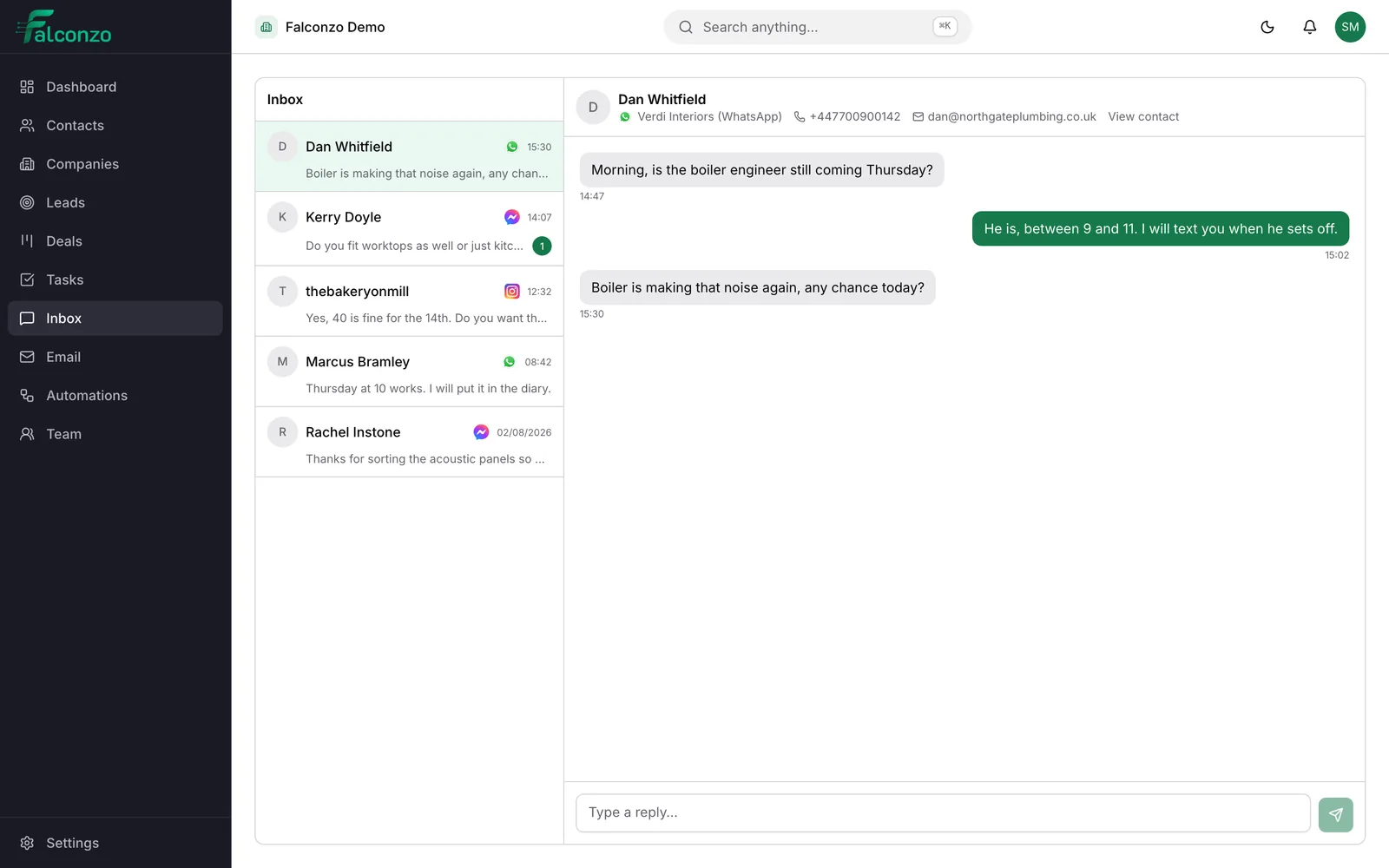
Connecting Meta brings all of it into the same shared inbox as your email. The team can see what is waiting, decide who is handling it, and reply from Falconzo, without passing a phone around or sharing an account password.
Lead forms work the same way. A submission on Facebook or Instagram becomes a lead in Falconzo, with a status and an owner, so it joins your normal follow-up process instead of sitting in an export nobody downloads.
What connecting Meta gives you
Four channels, one inbox, and everything tied back to the customer record.
WhatsApp in a shared inbox
WhatsApp conversations arrive in Falconzo and can be answered there, so a customer's messages are not stranded on one person's phone.
Facebook Messenger
Messages sent to your Facebook page land in the same inbox as everything else, and can be replied to without opening the Meta apps.
Instagram direct messages
Instagram DMs come through to the team rather than to whoever happens to hold the account login, and are answered from Falconzo.
Facebook and Instagram lead forms
A lead form submission creates a lead in Falconzo with a status, a source and an owner, so it enters the same process as every other enquiry.
Conversations linked to records
A messaging conversation can be linked to the contact, company, lead or deal it belongs to, so the record shows the whole relationship and not only the email half of it.
Shared, not personal
Messaging channels belong to the team. Conversations carry a team state, can be assigned to a teammate and can hold internal notes that are never sent to the customer.
How to connect
You choose which channels to bring in, and you can remove them later.
Open integrations in settings
Go to the integrations settings in Falconzo and choose the Meta connection.
Approve access with Meta
You are sent to Meta's own authorisation screen to sign in and choose which page or account Falconzo may act for. Approval happens on Meta's site.
Pick the channels you want
Connect Messenger, Instagram direct messages, WhatsApp and lead forms, or only the ones your business actually uses.
Answer from the shared inbox
New conversations arrive in Falconzo. Assign them, reply, add an internal note, and link them to the customer record they belong to.
Disconnect from settings
Removing the connection is done in the same place and deletes the stored credentials. The conversations already linked to records stay on those records.
Access and control
Approved on Meta's screen, removable in settings
Connecting a messaging channel uses Meta's own authorisation screen, so you sign in and grant access on Meta's site rather than typing anything sensitive into Falconzo. The credentials that come back are encrypted before they are stored and are never sent to your browser.
You can disconnect at any time from settings, which removes those stored credentials. Because these are team channels rather than personal ones, who can see and answer them is governed by your roles and permissions.
- Choose which page or account Falconzo may act for
- Assign conversations and track them as open, closed or snoozed
- Internal notes stay internal and are never sent to the customer
- Every change to a record is written to the audit log
Read more about each channel
The Meta connection is the plumbing. These pages show the day to day work.
WhatsApp
How WhatsApp conversations are handled, replied to and linked to customer records in Falconzo.
Facebook Messenger
Answering page messages from the shared inbox, with assignment and internal notes.
Instagram
Direct messages from Instagram, in the same queue as your email and WhatsApp.
Meta lead forms
Turning Facebook and Instagram lead form submissions into leads with an owner and a status.
What you end up with
One queue for customer messages, whichever app they arrived from, and a customer record that shows the WhatsApp thread next to the email thread. Nothing waits unanswered because it landed on the wrong device.
See how the queue itself works in the shared inbox, go back to all integrations to add your mailbox as well, or read the FAQ.
See your Meta channels in one inbox
Book a walkthrough and we will show you how your page messages, direct messages and lead forms would reach your team.