
Contacts
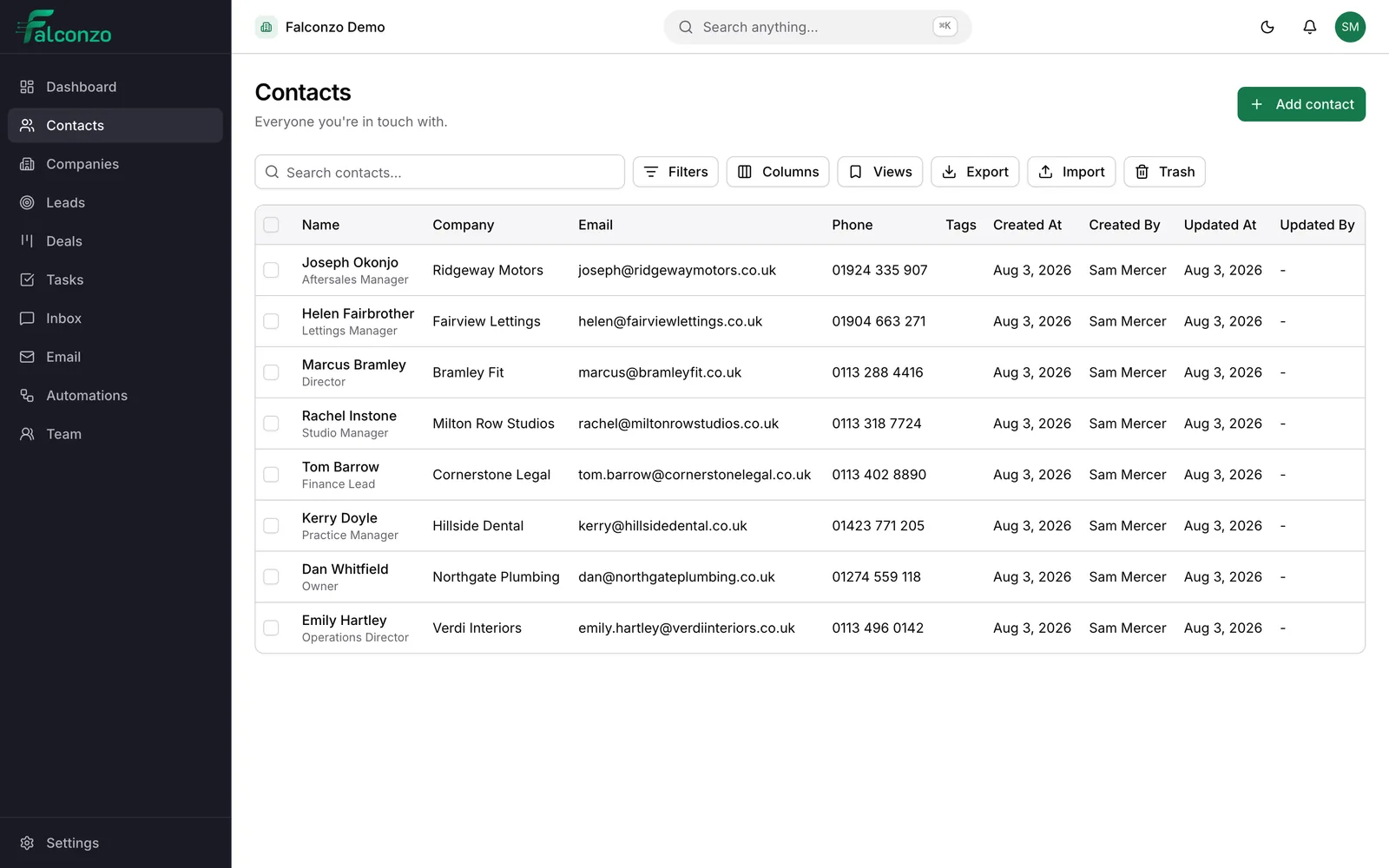
One record for every person you deal with
Names, numbers, job titles, the company behind them and everything that has been said. In one place your whole team can see.
Why a shared contact list is worth the effort
The cost of a scattered address book stays invisible until the day somebody is off work.
A plumbing company with four engineers keeps customer numbers in four phones. When one engineer is off sick, the office cannot tell a caller who last visited them or what was quoted. The information exists. It is just nowhere useful.
Falconzo keeps one record per person, owned by somebody, visible to the people who should see it. The mobile number, the site address and the note about the awkward access at the back gate all survive holidays, handovers and resignations.
It also prevents the small embarrassments that cost real work. Two people ringing the same customer on the same morning. A marketing email landing with somebody who asked, politely, to be left alone.
What a contact record holds
The standard fields cover what almost every business needs. Anything else, you add yourself.
The basics, properly separated
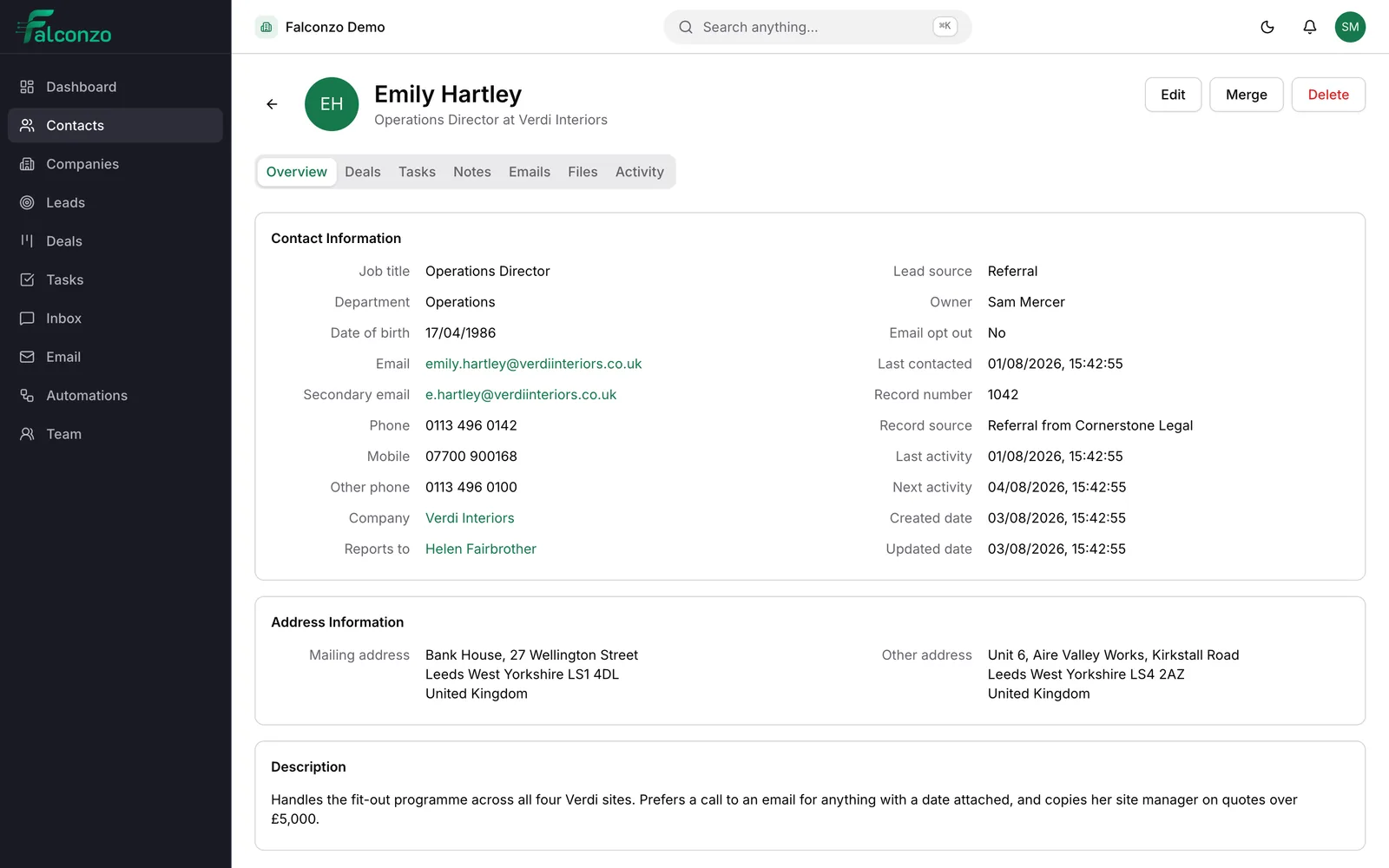
Full name, job title and department, so you know whether you are speaking to the person who decides or the person who arranges it.
More than one way to reach them
A primary and a secondary email address, several phone numbers, a postal address and a website. People rarely have exactly one of each.
The company they work for
Link a contact to a company and both records gain the connection. Open the company and everyone you know there is listed.
Who reports to whom
Point a contact at the person they report to, so you can see the shape of an organisation before you walk into the meeting.
Opt-out that is actually respected
Mark someone as opted out of email and Falconzo refuses to send to them, rather than trusting every colleague to remember.
An owner, tags and history
One person is responsible for the relationship. Tags group people the way you think about them, and every change is recorded with who made it.
Adding a contact, and then using it
What this looks like on an ordinary Tuesday morning.
Create the contact
Enter the name, email and phone number. If it looks like somebody already in your list, Falconzo says so before you create a second copy of the same person.
Attach them to a company
Link the contact to the company they work for, or create that company from the contact if it is not there yet.
Fill in what you know
Job title, the direct line rather than the switchboard, the site address, and any custom fields your business relies on.
Give them an owner and a tag or two
Set the owner so it is clear whose customer this is. Tags decide which lists the contact turns up in later.
Leave a note, set a task
Write down what was agreed while it is fresh, then set a task with a due date for the next call. Both live on the record, not in your head.
Work from the record after that
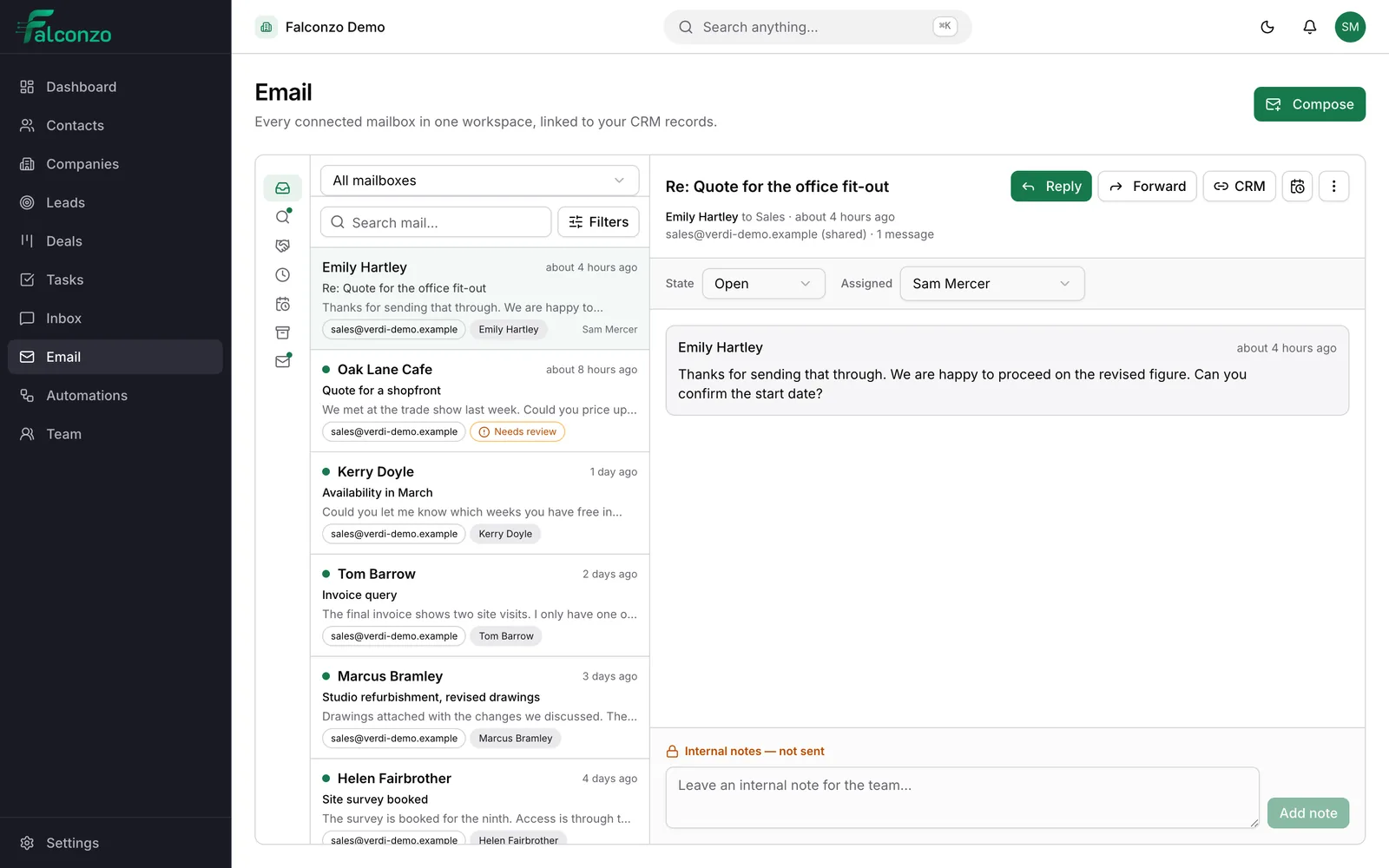
Email from that address is matched to the contact as it arrives, so the next person to open the record sees the conversation as well as the details.
History
Notes, files and email in the same place
A contact record is not only a set of fields. It is where the account of the relationship lives, which is what makes it worth opening.
Notes capture what was said. Files keep the quote or the signed form with the person it concerns. Email threads are matched by address, so the record fills itself in as you work.
- Notes anyone with access can read, so the story is not locked in one head
- File attachments kept on the record rather than in a folder somebody named badly
- Email matched to the contact by address, with anything ambiguous offered as a suggestion
- Open tasks visible on the record, so you can see what has been promised
Getting started
Bringing the list you already have
Almost nobody starts from nothing. There is a spreadsheet, an old system, or a mailbox full of people who have bought before.
Import from a CSV file and Falconzo flags the records that look like duplicates of each other, with a merge screen for combining them into one. If you ever want the list back out, export it.
What you end up with
One list of people that the whole team trusts, where the phone number is the right one and the last conversation is written down.
Anyone can pick up a customer without a handover meeting. When a member of staff leaves, the relationships stay with the business, along with the reason the customer said no in 2024.
See your own contact list inside Falconzo
Book a walkthrough and bring a sample of your current spreadsheet. We will show you how it imports and what the records would look like.
Where contacts fit
Contacts sit at the centre of Falconzo. These are the parts they touch most.
- Companies group your contacts under the organisation that actually pays the invoice.
- Leads become contacts on conversion, without anyone retyping the details.
- Tasks hang off a contact so the next call has a date and a name against it.
- Custom fields add the details your trade needs and a general CRM has no box for.